Can You Use AirPods On A Plane Without WiFi?
Quick Answer
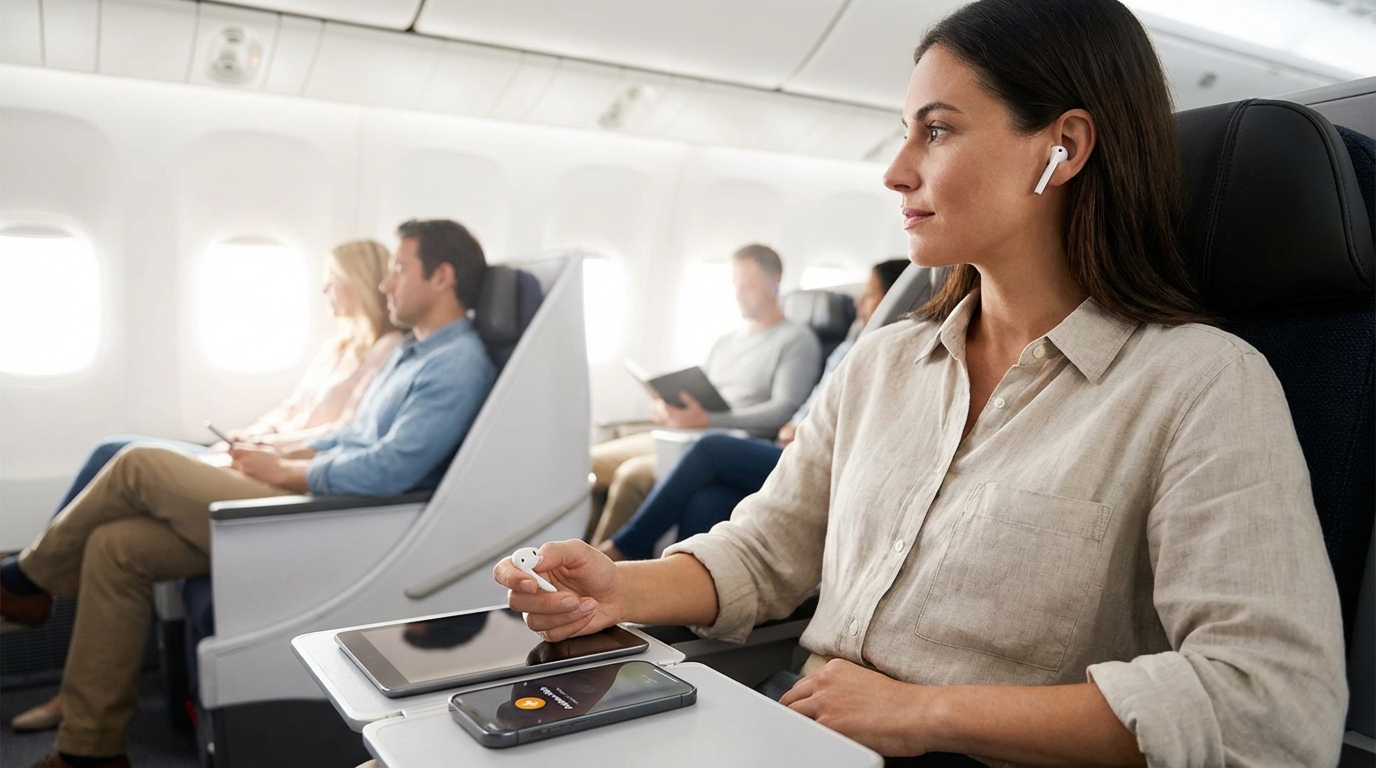
Yes, AirPods work on a plane without WiFi. AirPods connect to your phone via Bluetooth, which is completely separate from WiFi. Turn on airplane mode, re-enable Bluetooth, and your AirPods work exactly like they do on the ground.
AirPods Don't Need WiFi — They Use Bluetooth
This is the most common misconception. AirPods connect to your iPhone (or iPad, Mac, etc.) via Bluetooth, not WiFi. They'll work anywhere your phone is — including 35,000 feet in the air with no internet connection whatsoever.
WiFi and Bluetooth are two completely different wireless technologies. You don't need one for the other. As long as Bluetooth is turned on and your AirPods are paired with your device, they'll connect and play audio regardless of whether you have WiFi, cellular service, or any internet at all.
How to Use AirPods in Airplane Mode
Here's the simple setup:
- Turn on airplane mode on your iPhone
- Re-enable Bluetooth — on newer iPhones, Bluetooth usually stays on when you activate airplane mode. If it doesn't, swipe into Control Center and tap the Bluetooth icon to turn it back on.
- Open your AirPods case near your phone
- They'll auto-connect — if they've been previously paired (which they have if you've used them before), they connect within seconds
- Play your content — music, podcasts, audiobooks, whatever you've got
That's it. Your phone is in airplane mode with cellular and WiFi off, but Bluetooth is active. The FAA allows this on all U.S. flights during every phase — boarding, taxi, takeoff, cruising, landing, and taxi to the gate.
What Content Can You Listen to Without WiFi?
Since your AirPods work but you don't have internet, you're limited to content that's already on your device:
- Downloaded music from Spotify Premium, Apple Music, YouTube Music, or any other app with offline downloads
- Downloaded podcasts from Apple Podcasts, Spotify, Overcast, Pocket Casts, etc.
- Audiobooks downloaded from Audible, Apple Books, or Libby
- Videos downloaded from Netflix, YouTube Premium, or other apps (audio plays through your AirPods)
- MP3/AAC files stored directly on your phone
- Voice memos you've previously recorded
What You Can't Listen to Without WiFi
- Anything that requires streaming — Spotify Free (music), YouTube (without Premium downloads), live radio
- Content you haven't downloaded yet
The fix: Download everything you want to listen to before your flight while you're on WiFi at home. This takes a few minutes of planning but saves you from staring at loading screens at cruising altitude.
Do AirPods Work With In-Flight Entertainment?
Here's where it gets tricky. AirPods don't connect directly to most seatback entertainment screens. Those screens use wired headphone jacks, not Bluetooth.
You have three options:
Option 1: Bluetooth Transmitter (Best Solution)
Buy a small Bluetooth transmitter that plugs into the seatback headphone jack and sends audio wirelessly to your AirPods. The most popular ones:
- Twelve South AirFly Pro — designed specifically for this. Plugs into the 3.5mm jack, pairs with your AirPods. About $40. Can connect two sets of AirPods simultaneously.
- Twelve South AirFly Duo — similar, supports two headphones at once. Great for couples.
- MEE audio Connect Air — budget-friendly alternative at about $30.
These are pocket-sized, last 15+ hours on a charge, and genuinely solve the problem. If you fly regularly with AirPods, a Bluetooth transmitter is worth every penny.
Option 2: Airlines With Bluetooth IFE
A few airlines have started adding Bluetooth support directly to their seatback screens:
- JetBlue — Bluetooth audio available on most aircraft with seatback entertainment
- United — available on roughly 300 aircraft
- Delta — rolling out on newer planes
On these airlines, you can pair your AirPods directly with the screen — no transmitter needed. But it's not on every plane, so don't count on it.
Option 3: Airlines That Stream to Your Phone
Southwest and some other airlines don't have seatback screens. Instead, they stream entertainment to your personal device over the plane's WiFi. In this case, your AirPods work perfectly since the audio comes from your phone.
AirPods Pro: Noise Canceling on Planes
If you've got AirPods Pro (any generation) or AirPods 4 with ANC, the noise-canceling feature works beautifully on planes — and it doesn't need WiFi either. Active noise canceling is processed entirely within the AirPods themselves.
Airplane engine drone sits in the low-frequency range that ANC handles best. Switching on noise cancellation cuts out a massive amount of cabin noise, letting you listen at lower volumes and hear more detail in your music.
A few tips for AirPods Pro on planes:
- Use noise canceling mode for music, movies, and sleeping
- Switch to Transparency mode when the flight attendant is talking to you or during announcements
- Get the right ear tip seal. Go to Settings > AirPods > Ear Tip Fit Test on your iPhone. A good seal is essential for effective noise canceling.
- Adaptive Audio (AirPods Pro 2nd gen) automatically adjusts between noise canceling and transparency based on your environment. It works well on planes.
AirPods Max on a Plane
AirPods Max are excellent for flying. The over-ear design creates a physical seal that blocks noise even before the active noise canceling kicks in. Battery life is around 20 hours, which covers even the longest flights.
One advantage of AirPods Max: they come with a Lightning (or USB-C on newer models) to 3.5mm audio cable. You can plug directly into seatback entertainment systems without a Bluetooth transmitter. The ANC still works in wired mode, which is a nice bonus.
Battery Life Considerations
Battery life matters on long flights. Here's what to expect:
- AirPods (standard): About 5-6 hours of listening, with the case providing roughly 30 hours total
- AirPods Pro: About 6 hours with ANC on, case provides roughly 30 hours total
- AirPods Max: About 20 hours — enough for any commercial flight
For a domestic flight (1-5 hours), any AirPods model will last the entire flight. For long-haul international flights (8-16 hours), you'll need to use the charging case to top up your AirPods during the flight. The case charges AirPods quickly — about 5 minutes in the case gives you an hour of listening.
Pro tip: Charge the AirPods case fully before your flight. If your seat has a USB port, plug in the case during the flight to keep it topped off.
When You Might Be Asked to Remove AirPods
AirPods are allowed during all phases of flight, but there are two situations where crew members might ask you to take them out:
- During the safety briefing: Flight attendants want you to hear the safety demonstration. Pop out your AirPods for two minutes — it's quick.
- During an emergency: You need to hear crew instructions. AirPods with ANC on can block out announcements.
Outside of those moments, you're free to wear your AirPods from boarding to deplaning.
Troubleshooting AirPods on a Plane
If your AirPods aren't cooperating at altitude:
- AirPods won't connect: Make sure Bluetooth is enabled (airplane mode may have turned it off). Go to Settings > Bluetooth and toggle it on. If they still won't connect, put them in the case for 10 seconds and try again.
- One AirPod not working: Put both back in the case, wait 15 seconds, then take them both out. This resets the connection.
- Audio cutting in and out: This can happen when many Bluetooth devices are active nearby (a full plane has dozens). Keep your phone on the same side as your AirPods case. If the issue persists, try forgetting the device in Bluetooth settings and re-pairing.
- AirPods keep disconnecting: Check battery levels. When an AirPod gets critically low, it'll disconnect. Charge in the case for a few minutes.
The Bottom Line
AirPods work on planes without WiFi because they use Bluetooth, not WiFi. Turn on airplane mode, make sure Bluetooth is on, and your AirPods connect just like normal. The only thing you need WiFi for is streaming content — and you can avoid that entirely by downloading your music, podcasts, and videos before the flight. For seatback entertainment, grab a Bluetooth transmitter or hope your airline has Bluetooth IFE.
Frequently Asked Questions
Do AirPods need WiFi to work on a plane?
No. AirPods use Bluetooth to connect to your device, not WiFi. They work in airplane mode as long as Bluetooth is enabled. You only need WiFi if you want to stream content — downloaded music, podcasts, and videos play without any internet connection.
Can I use AirPods during takeoff and landing?
Yes. The FAA allows Bluetooth devices including AirPods during all phases of flight. Keep your phone in airplane mode with Bluetooth turned on. Flight attendants may ask you to remove them briefly during the safety demonstration.
How do I connect AirPods to the airplane seatback screen?
Most seatback screens don't support Bluetooth. You'll need a Bluetooth transmitter like the Twelve South AirFly (about $40) that plugs into the headphone jack and wirelessly sends audio to your AirPods. A few airlines (JetBlue, United, Delta on select planes) have Bluetooth built into their screens.
Will AirPods noise canceling work on a plane?
Yes, and it works really well. AirPods Pro and AirPods Max noise canceling is processed locally in the earbuds — no internet needed. The low-frequency drone of airplane engines is exactly the type of noise ANC handles best. You'll notice a huge difference.
How long do AirPods last on a flight?
Standard AirPods last about 5-6 hours, AirPods Pro about 6 hours with ANC on, and AirPods Max about 20 hours. For longer flights, put your AirPods back in the charging case for a few minutes — 5 minutes gives about an hour of listening time. Charge the case fully before your flight.
Written by Aviation Experts
Aviation Professionals
With decades of combined experience in the aviation industry, our team shares insider knowledge to make your travel experience smoother and less stressful.
Was this article helpful?