Can I Listen to Spotify on a Plane Without WiFi?
Quick Answer
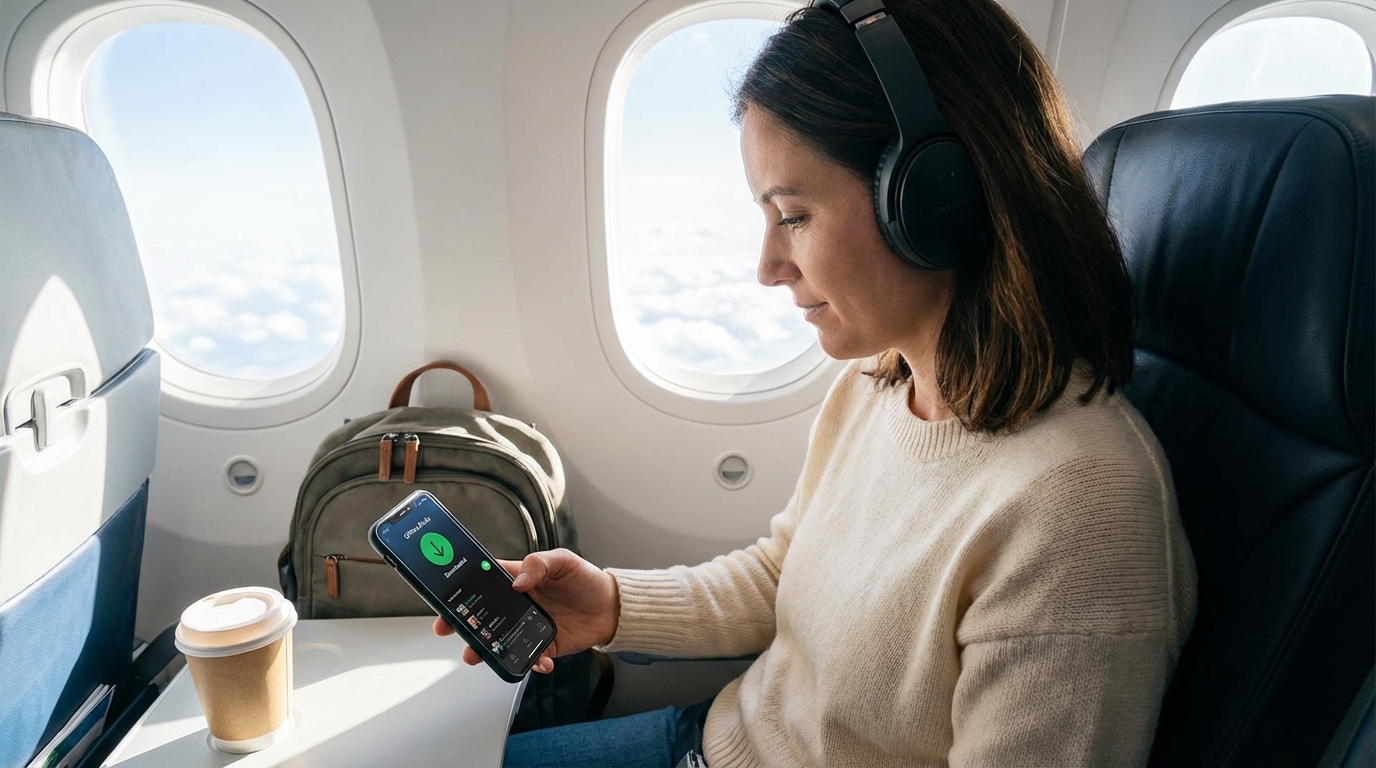
Yes, but only if you download your music before the flight. Spotify Premium lets you download up to 10,000 songs for offline listening. Free users can only download podcasts — not music. No WiFi needed once the songs are on your device.
Yes — But You Need to Download First
Spotify works perfectly on a plane, but only if you prepare before takeoff. With Spotify Premium, you can download playlists, albums, and podcasts to your device for offline listening. Once downloaded, you don't need WiFi, cellular service, or any internet connection at all. Just put your phone in airplane mode, open Spotify, and hit play.
If you're on Spotify Free, you're out of luck for music — free accounts can only download podcasts, not songs. You'll need to either upgrade to Premium or use a different approach (more on that below).
How to Download Spotify Music for Offline Listening
Here's the step-by-step to get your music ready for a flight:
Step 1: Make Sure You Have Premium
Offline downloads are a Premium-only feature. If you're on the free tier, you'll see a lock icon on the download button. Premium costs $11.99/month for individuals, and there's a free trial if you haven't used one before.
Step 2: Download Over WiFi Before You Leave
Don't wait until you're at the airport. Hotel and airport WiFi can be painfully slow. Download your music at home over a reliable connection.
- Open a playlist or album you want to download
- Tap the download arrow icon at the top of the playlist
- A green arrow confirms it's downloaded
- Repeat for every playlist or album you want available offline
Pro tip: Create a dedicated "Flight" playlist with everything you want to listen to, then download just that one list. It's easier than remembering which albums you've already downloaded.
Step 3: Enable Offline Mode
This step is optional but recommended. Go to Settings > Playback > Offline Mode. This tells Spotify to only show downloaded content and prevents the app from trying (and failing) to stream anything while you're offline.
Step 4: Test It Before You Board
Turn on airplane mode while you're still at home and make sure your downloaded music actually plays. Occasionally downloads fail silently, and you don't want to discover that at 30,000 feet.
Spotify Offline Limits You Should Know
Spotify's offline mode has some restrictions:
- 10,000 songs per device — more than enough for any flight, but worth noting if you're a heavy downloader
- 5 devices maximum — you can have downloads on up to five devices at once
- 30-day reconnection requirement — you need to connect to the internet at least once every 30 days, or your downloads become unavailable. Not an issue for a single flight, but keep it in mind for extended off-grid travel.
- Storage space — a typical song is about 3-10 MB depending on quality settings. An hour of music is roughly 60-150 MB. A long-haul flight playlist of 200 songs might use 1-2 GB.
Adjusting Download Quality
Spotify lets you choose the quality of your downloads in Settings > Audio Quality > Download:
- Low (24 kbps) — saves space but sounds pretty bad, especially with noise-canceling headphones
- Normal (96 kbps) — acceptable for casual listening
- High (160 kbps) — good balance of quality and storage
- Very High (320 kbps) — best quality, uses the most storage
For plane listening, High or Very High is worth it. Cabin noise already degrades audio quality, so starting with a higher-quality file makes a noticeable difference, especially with good headphones.
What About Spotify Free Users?
If you don't have Premium, your options for Spotify specifically are limited:
- Podcasts: Free users can download podcast episodes for offline listening. So if you're into podcasts, you're covered.
- Music: No offline downloads on free accounts. Music will only play with an active internet connection.
Workarounds for Free Users
If you don't want to pay for Premium, here are some alternatives:
- Use the plane's WiFi to stream: If the airline offers WiFi (paid or free), you might be able to stream Spotify. Bandwidth can be limited though, so streaming quality may be rough.
- Apple Music: If you have an Apple One bundle or Apple Music subscription, it also offers offline downloads.
- YouTube Music: Premium subscribers get offline downloads.
- Amazon Music: Prime members get limited offline downloads; Unlimited subscribers get full access.
- Download MP3s: If you own music files, load them directly onto your phone. No subscription needed.
- Spotify Free Trial: If you've never tried Premium, sign up for the free trial before your trip, download everything you want, and cancel before you're charged if you don't want to keep it.
Using Spotify Over In-Flight WiFi
If the plane has WiFi and you'd rather stream than download, here's what to expect:
Free airline WiFi (Delta, JetBlue): Streaming Spotify usually works but can be inconsistent. The bandwidth is shared among hundreds of passengers, so expect occasional buffering or dropped connections. Downloaded music is always more reliable.
Paid airline WiFi: Generally faster, but you're paying $8-20+ for a WiFi pass just to stream music you could have downloaded for free. Not the best use of money.
Some airlines block streaming: A few airlines' free messaging tiers explicitly block audio and video streaming to preserve bandwidth. You won't be able to stream Spotify unless you buy the full internet package.
The bottom line: always download before you fly. Even if the plane has WiFi, pre-downloaded music is more reliable, sounds better, and doesn't drain your battery as fast as streaming.
Battery Tips for Long Flights
Listening to Spotify offline uses less battery than streaming, but on a 10-hour flight, battery management still matters:
- Airplane mode helps a lot. With cellular and WiFi radios off, your phone uses significantly less power.
- Lower your screen brightness. The screen is the biggest battery drain. If you're just listening to music, lock your phone.
- Use wired headphones if battery is tight. Bluetooth headphones are convenient but add another device that needs charging.
- Bring a portable charger. A 10,000 mAh power bank can fully charge most phones at least twice.
- Check if your seat has USB or power outlets. Many newer aircraft have USB-A or USB-C ports at every seat.
Don't Forget Your Headphones
This sounds obvious, but make sure your headphones are charged (if wireless) and in your carry-on, not your checked bag. Noise-canceling headphones make a huge difference for music on planes — they cut out engine noise so you can listen at lower volumes, which is better for your hearing and your battery life.
If you're using Bluetooth headphones, remember to turn on airplane mode first, then re-enable Bluetooth. Your headphones will connect to your phone just fine without cellular service.
The Bottom Line
Spotify works great on planes — you just need Premium and a few minutes of prep time. Download your playlists at home, enable offline mode, and test it before you board. You'll have your entire music library available without needing a single bar of signal or a penny of WiFi cost.
Frequently Asked Questions
Does Spotify work in airplane mode?
Yes, but only with downloaded content. If you have Spotify Premium, download your playlists and albums before you fly. Then enable airplane mode and play from your downloads. Free Spotify users can only download podcasts, not music.
How much storage do Spotify downloads use?
It depends on your quality settings. At Very High quality (320 kbps), expect about 7-10 MB per song. A 200-song playlist would use roughly 1.5-2 GB. At Normal quality (96 kbps), the same playlist would use about 500-700 MB. Check your available storage before downloading.
Can I stream Spotify on in-flight WiFi?
It depends on the airline and your WiFi plan. Airlines with free WiFi (like Delta and JetBlue) sometimes support streaming, but bandwidth is shared among passengers and can be unreliable. Some airlines' free messaging tiers block audio streaming. Pre-downloaded music is always more reliable.
Will my Spotify downloads expire?
Spotify requires you to connect to the internet at least once every 30 days to keep your downloads active. If you don't reconnect within 30 days, your offline music becomes unavailable until you go online again. For a regular trip, this isn't an issue.
Can I listen to Spotify on a plane without Premium?
Only podcasts. Free Spotify lets you download podcast episodes for offline listening, but music requires an active internet connection. To listen to music offline, you need Spotify Premium ($11.99/month) or you can use the free trial if you haven't tried it before.
Written by Aviation Experts
Aviation Professionals
With decades of combined experience in the aviation industry, our team shares insider knowledge to make your travel experience smoother and less stressful.
Was this article helpful?