Can You Use Bluetooth on a Plane?
Quick Answer
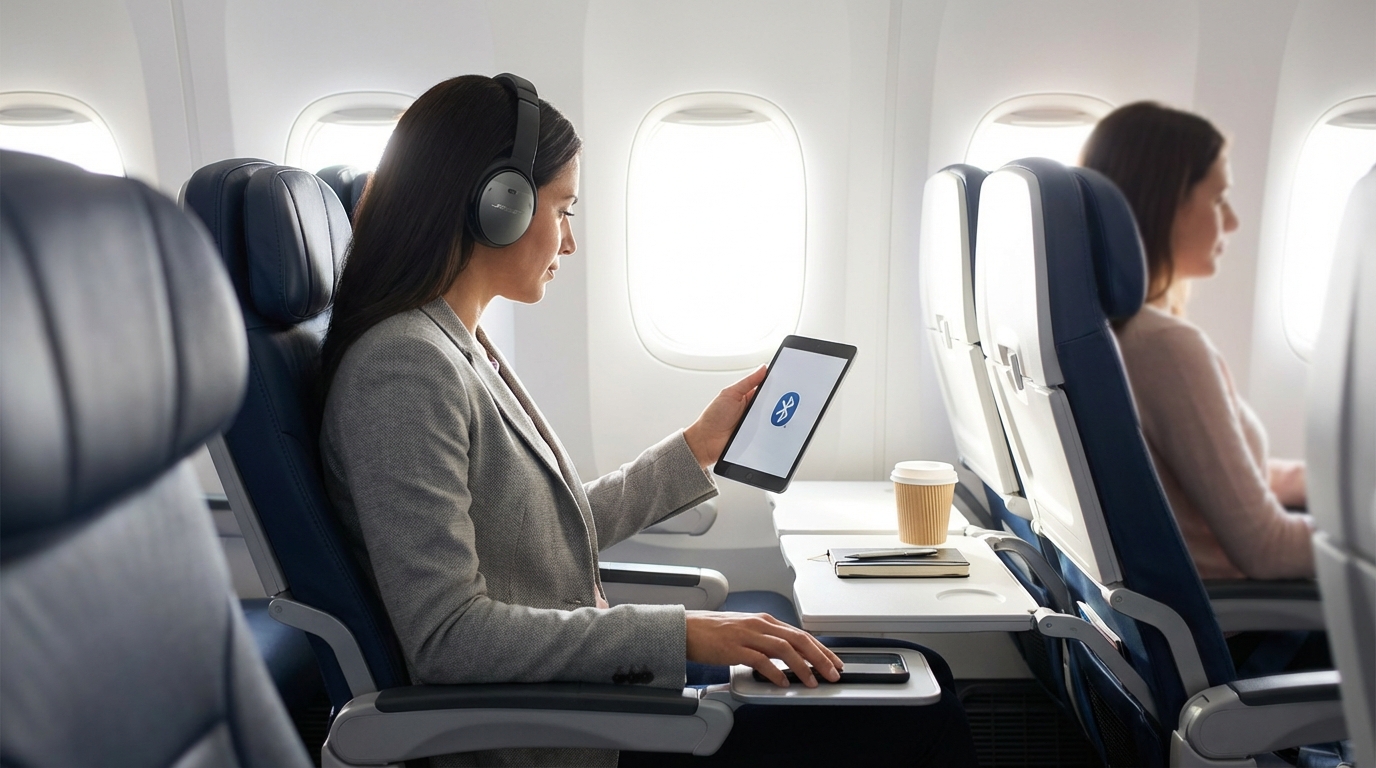
Yes, you can use Bluetooth on most flights. The FAA allows Bluetooth devices like wireless headphones and keyboards during all phases of flight, including takeoff and landing, as long as your phone is in airplane mode.
Yes, Bluetooth Works in Airplane Mode
You can use Bluetooth on a plane. The FAA allows short-range Bluetooth devices during all phases of flight, including taxi, takeoff, and landing. This means your AirPods, wireless headphones, Bluetooth keyboards, and other Bluetooth accessories are all fair game from gate to gate.
The key thing people get confused about: airplane mode doesn't automatically turn off Bluetooth. When you switch your phone to airplane mode, it kills cellular and Wi-Fi connections. But you can manually re-enable Bluetooth (and Wi-Fi) while staying in airplane mode. This is exactly what the airlines want you to do.
How to Use Bluetooth in Airplane Mode
Here's the step-by-step for both major platforms:
iPhone/iPad
- Turn on Airplane Mode (Settings or Control Center)
- Bluetooth usually stays on if it was on before (Apple changed this behavior a while back)
- If Bluetooth turned off, tap the Bluetooth icon in Control Center to re-enable it
- Your previously paired devices should reconnect automatically
Android
- Turn on Airplane Mode (quick settings panel)
- Bluetooth will turn off
- Manually toggle Bluetooth back on from quick settings
- Your phone stays in airplane mode with Bluetooth active
Once you've done this, your phone has no cellular connection but Bluetooth works normally. This is completely compliant with FAA and airline rules.
What Bluetooth Devices Can You Use?
Pretty much any personal Bluetooth device is fine:
- Wireless headphones and earbuds — AirPods, Sony WH-1000XM series, Bose QuietComfort, Galaxy Buds, etc.
- Bluetooth keyboards — great for working on a tablet during the flight
- Bluetooth mouse — works, though space is tight in economy
- Smartwatches — Apple Watch, Galaxy Watch, Garmin, etc.
- Bluetooth trackers — AirTags and Tile trackers are fine (they use Bluetooth Low Energy)
- Wireless game controllers — for gaming on your tablet or phone
- Bluetooth stylus — Apple Pencil, S Pen, etc.
The One Catch: In-Flight Entertainment Systems
Here's where it gets annoying. Most airline seatback screens don't support Bluetooth audio. That fancy in-flight entertainment system with hundreds of movies? You'll need wired headphones to hear it.
Some airlines have started adding Bluetooth support to their IFE systems, but it's still the exception:
- JetBlue: Bluetooth audio available on most aircraft with seatback screens
- Delta: Rolling out Bluetooth on newer aircraft, but most of the fleet still requires wired
- United: Bluetooth available on select aircraft
- American: Limited Bluetooth IFE support
- Southwest: No seatback screens (streaming to your device, so your Bluetooth headphones work fine)
For airlines that stream entertainment to your personal device (Southwest, some JetBlue flights), your Bluetooth headphones work perfectly since the audio comes through your phone or tablet.
Pro tip: Bring a Bluetooth transmitter that plugs into the headphone jack on the seatback screen. Devices like the Twelve South AirFly plug into the 3.5mm jack and transmit audio to your Bluetooth headphones. They cost about $30-40 and completely solve this problem. Just make sure to get one with low latency so the audio syncs with the video.
When Can You Start Using Bluetooth?
The FAA's rules changed back when they relaxed the portable electronics policy. Here's the current timeline:
- Boarding and taxi: Bluetooth devices are allowed. You can listen to music while the plane taxis to the runway.
- Takeoff: Bluetooth is allowed. Keep your phone in airplane mode.
- Cruise: Bluetooth is allowed.
- Landing: Bluetooth is allowed.
- Taxi to gate: Bluetooth is allowed. Most people turn off airplane mode entirely at this point.
The only time you might be asked to turn off Bluetooth is during the safety demonstration, and that's more about paying attention than a technical requirement. Some flight attendants ask you to remove headphones during the safety briefing — just pop them out for two minutes.
Do Airlines Have Different Bluetooth Rules?
The FAA sets the baseline, but airlines can be stricter if they choose. In practice, virtually all U.S. airlines allow Bluetooth:
- All major U.S. carriers (Delta, United, American, Southwest, JetBlue, Alaska) explicitly allow Bluetooth in airplane mode
- Most international carriers flying to/from the U.S. follow similar policies
A few international carriers have been slower to adopt, but this is increasingly rare. If you're flying a smaller regional airline overseas, check their policy, but you're almost certainly fine.
AirTags and Bluetooth Trackers
AirTags, Tile trackers, and similar Bluetooth devices are allowed on planes — in your carry-on, on your person, and in your checked luggage. They use Bluetooth Low Energy (BLE), which transmits at extremely low power levels.
There was some back-and-forth about this with Lufthansa briefly questioning whether AirTags in checked bags were allowed, but that was resolved quickly. Every major airline and aviation authority has confirmed BLE trackers are fine. In fact, they're recommended for checked bags so you can track your luggage if the airline mishandles it.
Bluetooth vs. Wi-Fi vs. Cellular
People often lump these together, but they're different technologies with different rules:
- Cellular (4G/5G): Must be off during the entire flight. This is what airplane mode primarily disables. The concern is interference with aircraft communication systems and ground cell towers.
- Wi-Fi: Can be turned on in airplane mode once the crew announces it's available (usually above 10,000 feet). Most planes offer paid or free Wi-Fi.
- Bluetooth: Can be used during all phases of flight. It operates at very low power (typically 1-100 milliwatts) and at 2.4 GHz, which doesn't interfere with aircraft systems.
The reason Bluetooth gets a pass is power. Your Bluetooth headphones transmit at about 2.5 milliwatts. Your phone's cellular radio transmits at up to 2,000 milliwatts. That's an 800x difference in signal strength. Bluetooth simply doesn't produce enough electromagnetic energy to cause any concern.
Noise-Canceling Headphones on Planes
If you're bringing Bluetooth headphones for a flight, noise-canceling ones are worth every penny. A few things to know:
- Active noise canceling (ANC) works even without Bluetooth. If your battery dies, wired noise-canceling headphones still cancel noise. Some wireless models let you use a cable as backup.
- Battery life matters. A long-haul flight can be 12+ hours. Check your headphones' battery life and charge them fully before your flight.
- Bring a wired backup. A cheap pair of wired earbuds weighs nothing and saves you if your Bluetooth headphones die or you want to use the seatback entertainment system.
Troubleshooting Bluetooth Issues on Planes
Sometimes Bluetooth acts up at 35,000 feet. Here are common problems and fixes:
- Headphones won't connect after enabling airplane mode: Turn Bluetooth off and back on. If that doesn't work, forget the device in your Bluetooth settings and re-pair.
- Audio cutting in and out: Other passengers' Bluetooth devices can cause interference in the crowded 2.4 GHz band. Try keeping your phone and headphones on the same side of your body, or switch to a wired connection.
- One earbud not working: Put both earbuds back in the case for 10 seconds, then re-pair. This resets the connection between the buds.
- Latency (audio lag) with Bluetooth transmitter: Make sure your transmitter supports aptX Low Latency or similar codec. Standard Bluetooth audio has about 200ms of delay, which is noticeable when watching video.
If all else fails, wired headphones just work. There's a reason seasoned travelers keep a cheap pair of wired earbuds in their bag as insurance.
The Bottom Line
Bluetooth works on planes during all phases of flight. Turn on airplane mode, re-enable Bluetooth, and use your wireless headphones, keyboards, or whatever else you need. The only frustration is that most seatback entertainment systems still don't support Bluetooth audio — bring a Bluetooth transmitter or wired backup for that. And always charge your devices before you fly.
Frequently Asked Questions
Can I use AirPods on a plane during takeoff?
Yes. AirPods and all Bluetooth headphones are allowed during every phase of flight, including takeoff and landing. Just make sure your phone is in airplane mode with Bluetooth re-enabled. Some flight attendants may ask you to remove them during the safety briefing.
Why don't seatback screens work with Bluetooth headphones?
Most in-flight entertainment systems were designed before Bluetooth audio was widespread and don't have Bluetooth transmitters built in. Airlines are slowly adding this feature, but for now, most seatback screens only have a 3.5mm headphone jack. You can buy a Bluetooth transmitter like the Twelve South AirFly that plugs into the jack and pairs with your wireless headphones.
Is it safe to use Bluetooth on a plane?
Completely safe. Bluetooth operates at very low power (about 2.5 milliwatts) compared to cellular signals (up to 2,000 milliwatts). It doesn't interfere with aircraft navigation or communication systems. The FAA and all major airlines have confirmed Bluetooth is safe to use during all phases of flight.
Written by Aviation Experts
Aviation Professionals
With decades of combined experience in the aviation industry, our team shares insider knowledge to make your travel experience smoother and less stressful.
Was this article helpful?